
Novus Desktop · Early access 2027
Regulatory filing on your desktop. AI that never leaves your machine.
One cross-platform application for FATCA Model 1, FATCA Model 2, CRS and IRS 1099. An embedded model catches data errors before export, and IDES-ready packages are sealed on the device. Novus Desktop is in private testing now.
01Filing channels
One desktop app. Four filing channels.
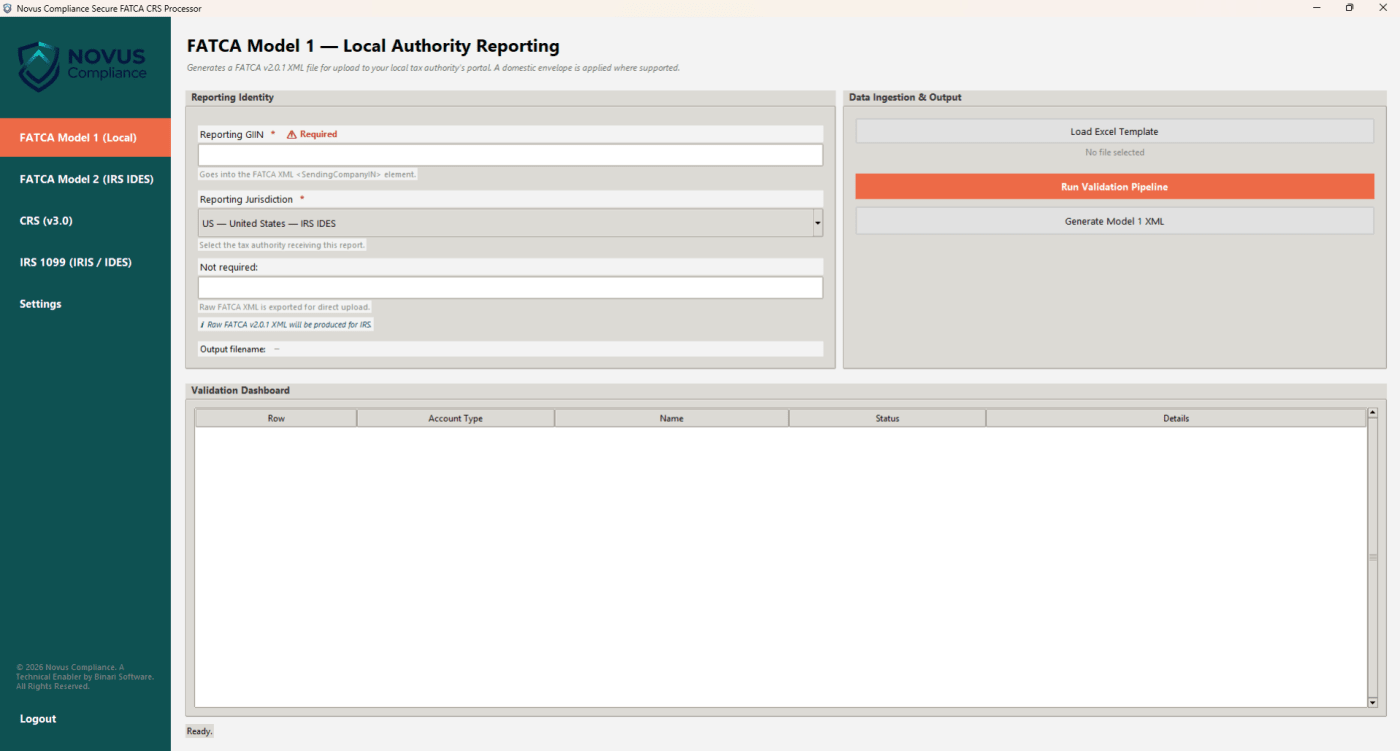
The same workflow (load Excel, validate, generate) applied to every AEOI framework and IRS information return your organisation files.
-
FATCA Model 1
File with your local tax authority: HMRC, CRA, BZSt, ACD, CBDT and other IGA partners.
- Jurisdiction-specific XML envelopes
- Schema validation before export
- Flat and structured templates detected automatically
-
FATCA Model 2
For direct reporting to the IRS through IDES, with the complete cryptographic packaging.
- Enveloping XML digital signature
- AES-256-CBC with RSA key wrapping
- IDES-compliant archive naming and structure
-
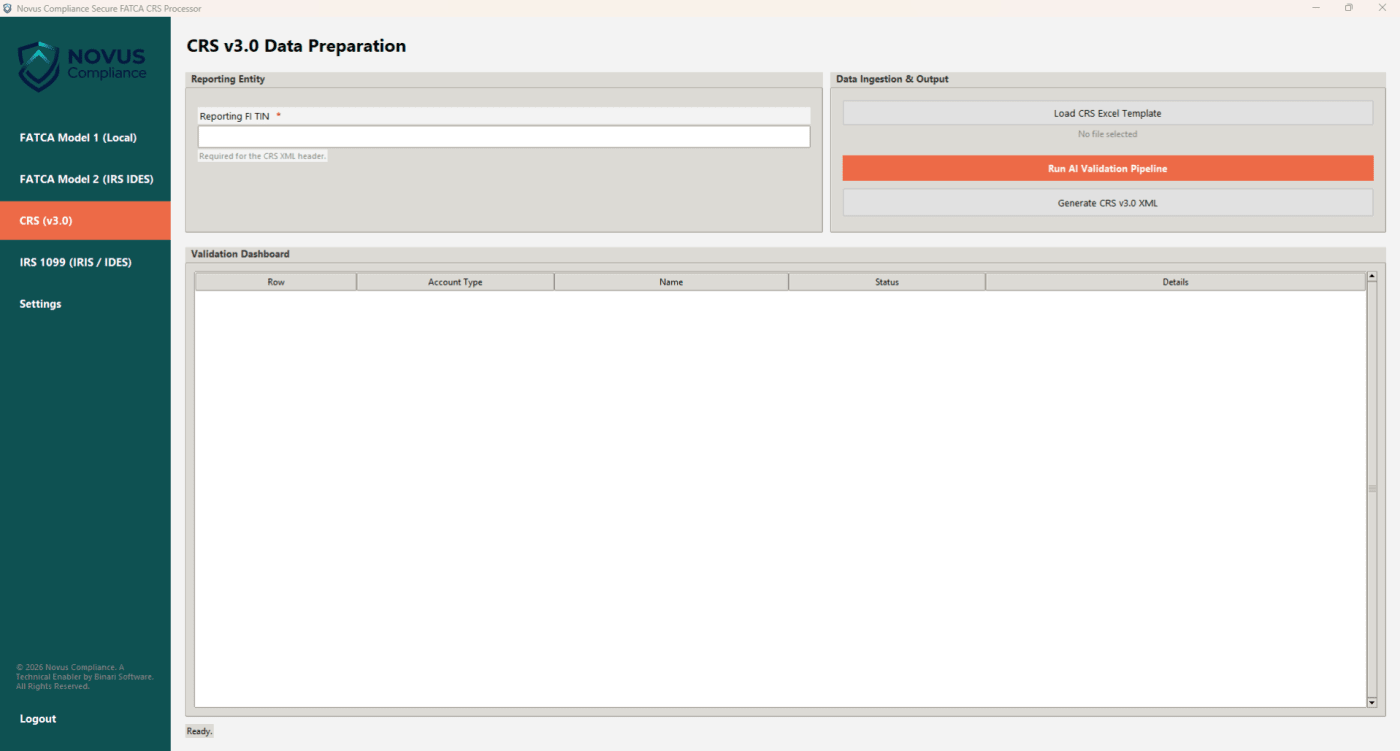
CRS v3.0
Multi-jurisdiction Common Reporting Standard filing aligned with the OECD schema and CRS 2.0.
- Per-jurisdiction mapping and wrappers
- Digital asset fields supported
- Bulk processing across entities
-
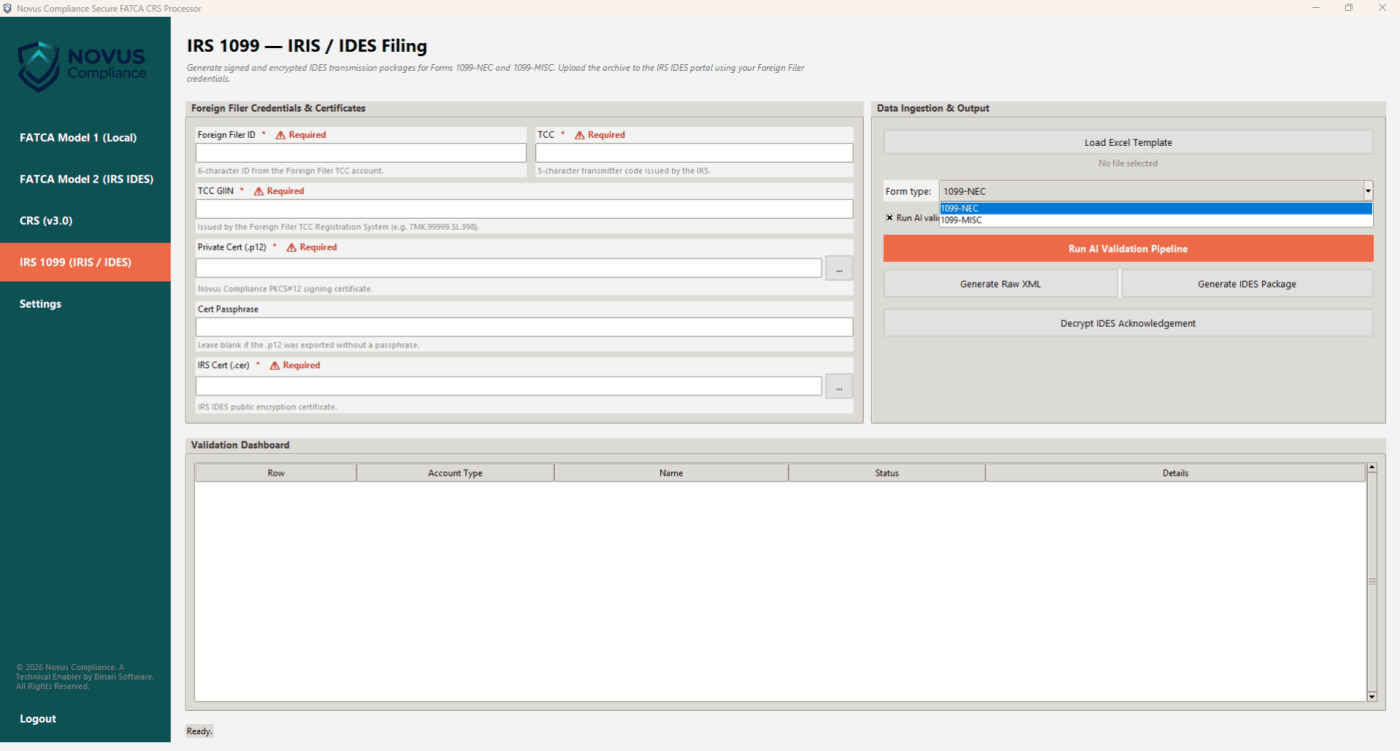
IRS 1099
Forms 1099-NEC and 1099-MISC for the IRS Information Returns Intake System (IRIS).
- Foreign Filer TCC support
- IRIS A2A and Taxpayer Portal CSV output
- Corrections and prior-year filing
02On-device AI
AI validation that runs on your laptop. Not in someone else’s cloud.
Most “AI-powered” compliance tools send your account data to a remote API: a non-starter when the data includes TINs, balances and controlling persons. Novus ships a local language model inside the app. It reasons about your records without a network call.
- Catches TIN format errors, name and structure mismatches, and address inconsistencies
- Runs offline on your CPU; no GPU required
- A deterministic parser first, then AI review, in sequence
- Every flagged record explained in plain language, not raw error codes
03See it in action
Three screens. One window.
01 / Screen
Load, validate, review
Load your Excel workbook. Every field is checked against IRIS and IDES business rules (TIN format, name structure, address completeness, amount sanity) and lands in the validation dashboard as pass, warning or fail. Nothing is produced until you approve it.
02 / Screen
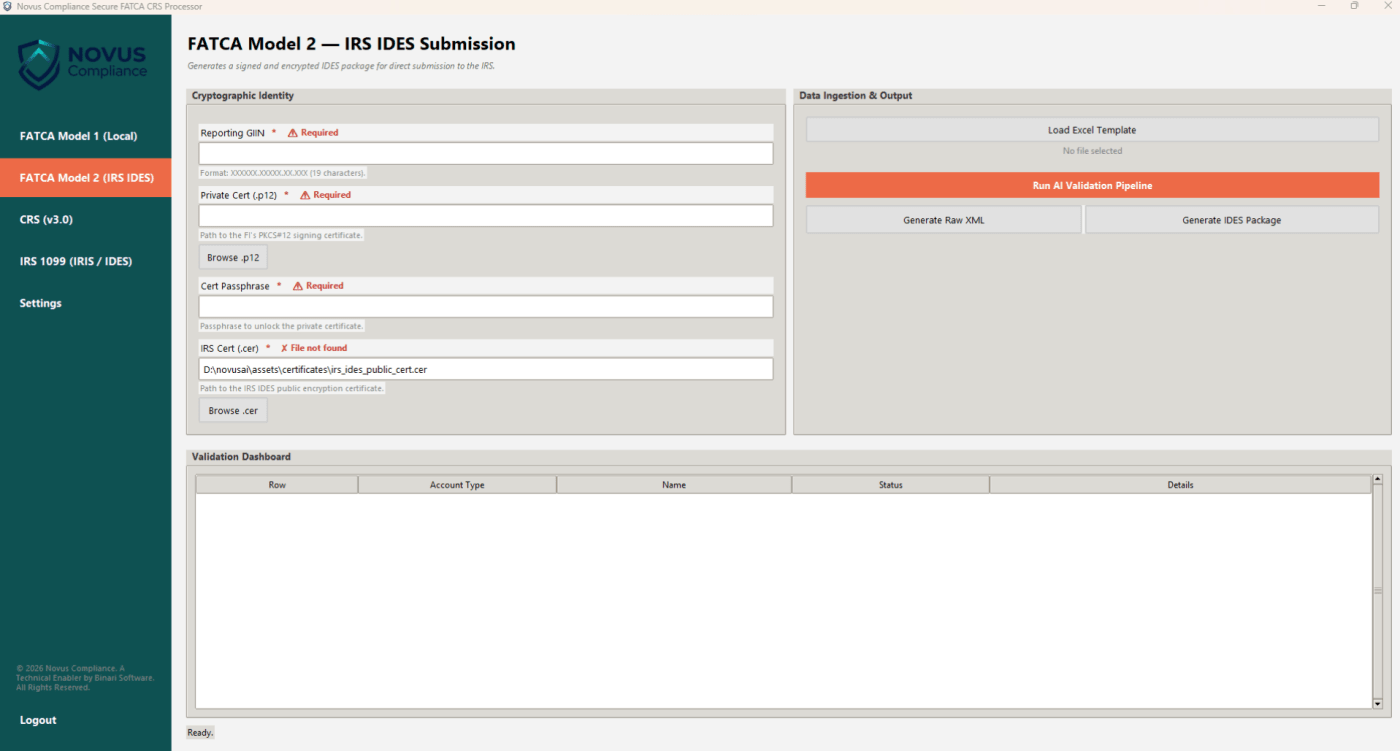
Sign, encrypt, package
One click produces the complete IDES archive: signed XML, AES-256-CBC encryption, RSA key wrapping and correctly named metadata. The .zip is ready to upload to IDES with your own credentials. No manual file naming, no crypto tooling.
03 / Screen
Audit-ready PDF summaries
Every run produces a summary PDF per recipient that your team can archive and share with auditors. Optional rasterisation flattens the pages to prevent edits after generation.
04Security
Built for compliance teams, not cloud vendors.
Novus Desktop is designed around one premise: the least secure place to process TINs and balances is somewhere you don’t control.
- Data processing
- Entirely local. No telemetry, no analytics, no remote calls during filing.
- AI model
- llama.cpp inference on your CPU. The model ships with the app.
- Encryption
- AES-256-CBC for payloads, RSA key transport. Standard and auditable.
- Signing
- Enveloping XML signature with your PKCS#12 certificate. The private key never leaves the machine.
- Retention
- You control it. Nothing is stored outside your file system.
- Network
- Optional update check only. Fully functional offline.
What’s inside
-
Embedded AI validation
A local model reviews every record for the semantic errors a parser misses.
-
Standard cryptography
AES-256-CBC, RSA key wrapping and enveloping XML signatures.
-
Offline capable
No network dependency. Air-gapped deployment is available for Enterprise.
-
Audit-ready PDFs
Per-recipient summaries, with optional rasterisation.
-
Excel in, XML out
Bring your existing templates; schema mapping is handled for you.
-
Correction filing
FATCA and CRS corrections and IRIS 1099 amendments.
-
Multi-jurisdiction
HMRC, CRA, BZSt, ACD, CBDT and CRS partner jurisdictions.
-
Licence and access control
Signed licence keys, tiered features and expiry enforcement.
05Requirements
System requirements.
Native on Windows, macOS and Linux from one codebase. These are the requirements of the current test build and may change before early access.
- Operating system
- Windows 10/11 (64-bit) · macOS 12 Monterey or later · Linux (Ubuntu 22.04+, Debian 12+, Fedora 38+)
- Memory
- 8 GB minimum · 16 GB recommended for AI validation on large batches
- Disk
- 10 GB free (model files and workspace)
- Processor
- A modern multi-core CPU; no GPU required
- Runtime
- Bundled with the installer; nothing else to install
- Network
- Optional, for update checks only
FAQ
Frequently asked questions
Something else? Ask our team
When can I use Novus Desktop?
Novus Desktop is in private testing. Early access opens in 2027; join the waitlist and we’ll contact you when places open. Novus Cloud is available today.
Does the AI send my data to the cloud?
No. The model runs entirely on your machine with llama.cpp. No account holder data, TINs, balances or recipient details are transmitted, and the app works without an internet connection.
Which filings are supported?
FATCA Model 1 for local authority portals (HMRC, CRA, BZSt, ACD, CBDT and others), FATCA Model 2 packages for IDES, CRS v3.0 for OECD-aligned jurisdictions, and IRS Forms 1099-NEC and 1099-MISC for IRIS.
Does it run on Mac and Linux?
Yes. It runs natively on Windows, macOS and Linux from the same codebase, with no separate port or emulation layer.
How does the IDES packaging work?
The app builds the complete IDES archive: the schema-valid XML, an enveloping signature with your certificate, AES-256-CBC encryption with the key wrapped for the IRS, and the correctly named metadata. You upload the .zip to IDES with your own credentials.
Do I need my own digital certificate?
For IDES you need a PKCS#12 signing certificate from an IRS-approved certificate authority, which is standard for IDES filing. No extra certificate is needed for encryption: the app uses the IRS’s published public key.
Is air-gapped deployment available?
Yes, as an Enterprise option: the app runs on an isolated machine with no network connection, and you move the sealed package out on your own terms.
Be first on Novus Desktop. Early access opens in 2027.
Join the waitlist and we’ll contact you when places open. Need to file now? Novus Cloud is available today.